

- Select Add Account → Manual Entry.
- Pick Bitcoin Holdings or Bitcoin ETF Holdings.
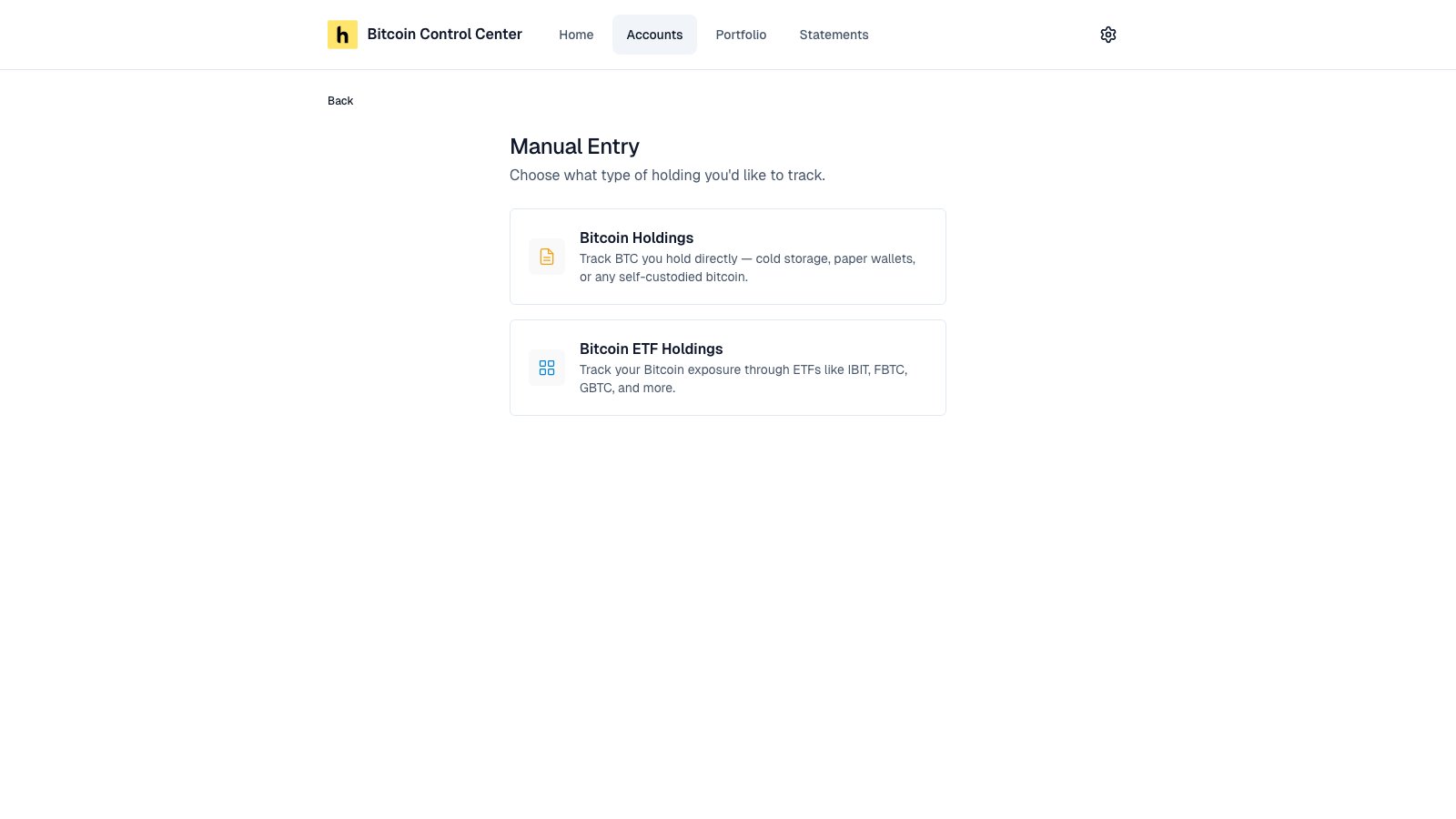
Pick a holding type.
Manual and ETF holdings count in your totals. They can’t go on a statement, because there is nothing to verify.
Manual Bitcoin
For cold storage, paper wallets, or Bitcoin held elsewhere.- Enter a Display Name and Balance (BTC).
- Set the As of Date. It defaults to today.
- Select Add Holding.
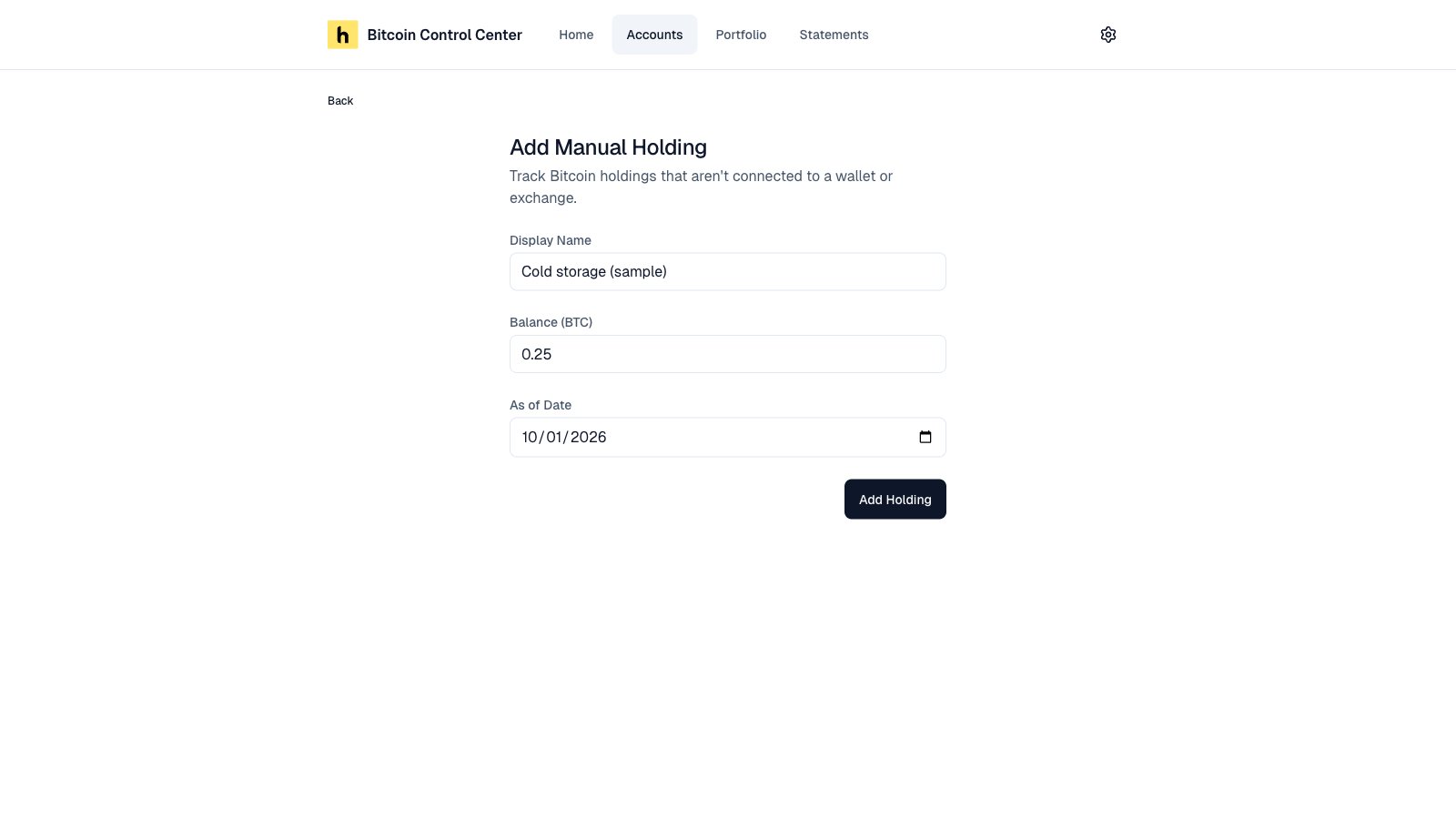
Name and amount.
Keep it current
Open the holding from Accounts.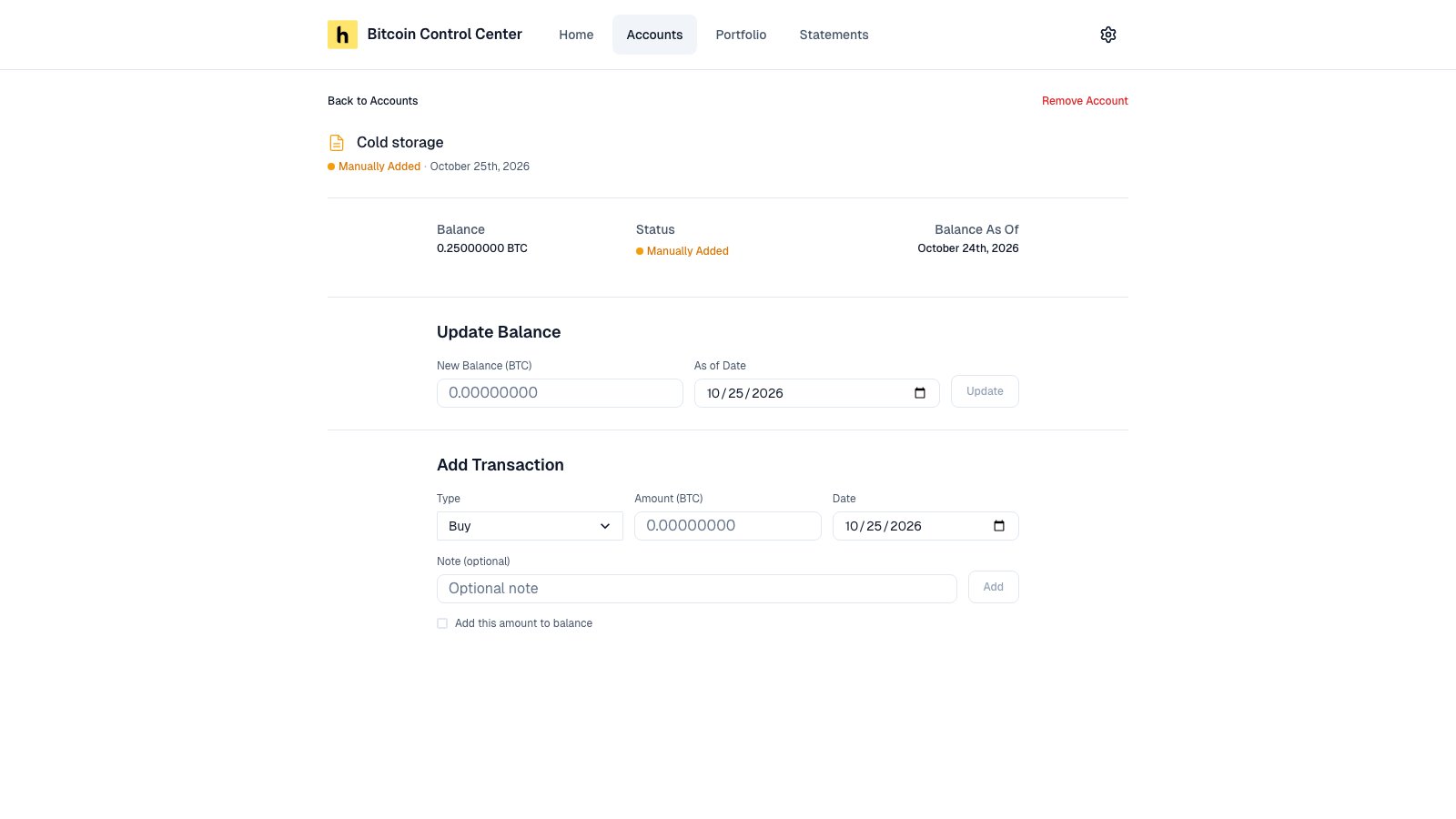
Update the balance, or log a transaction.
- Update Balance: enter the new total and its date. Select Update.
- Add Transaction: log a Buy, Sell, Transfer In, or Transfer Out. Check Add this amount to balance to change the balance too.
- A Sell or Transfer Out can’t take the balance below zero. Update the balance first if needed.
- Deleting a transaction always reverses it in the balance, even if you didn’t check Add this amount to balance.
- Deleting a transaction has no confirmation.
Bitcoin ETFs
- Enter a Display Name, such as your brokerage.
- For each fund, pick the ETF and enter Shares. Date Purchased is optional.
- Select + Add Another ETF for more funds.
- Select Add ETF Holdings.
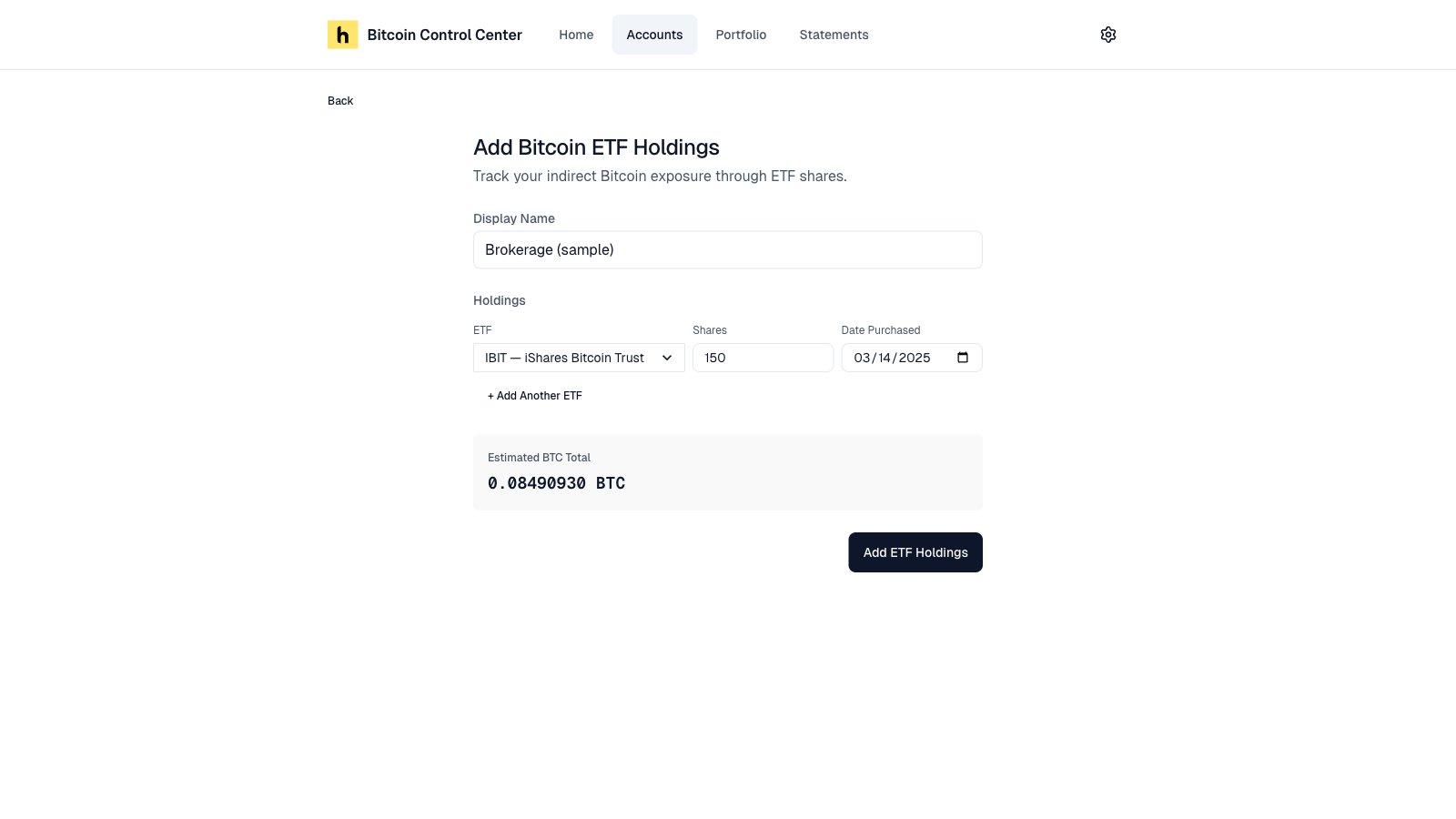
ETF holdings with an estimated BTC total.
How the BTC amount is worked out
Shares × Bitcoin per share. Bitcoin per share is a fixed reference figure for each fund. It goes down a little each day to reflect the fund’s fees.This is an estimate. It is not live fund data. Your broker’s figure may differ slightly.
Change your holdings
Open the ETF account. Under Holdings, select Add Holding or Remove. To change a share count, remove the row and add it again.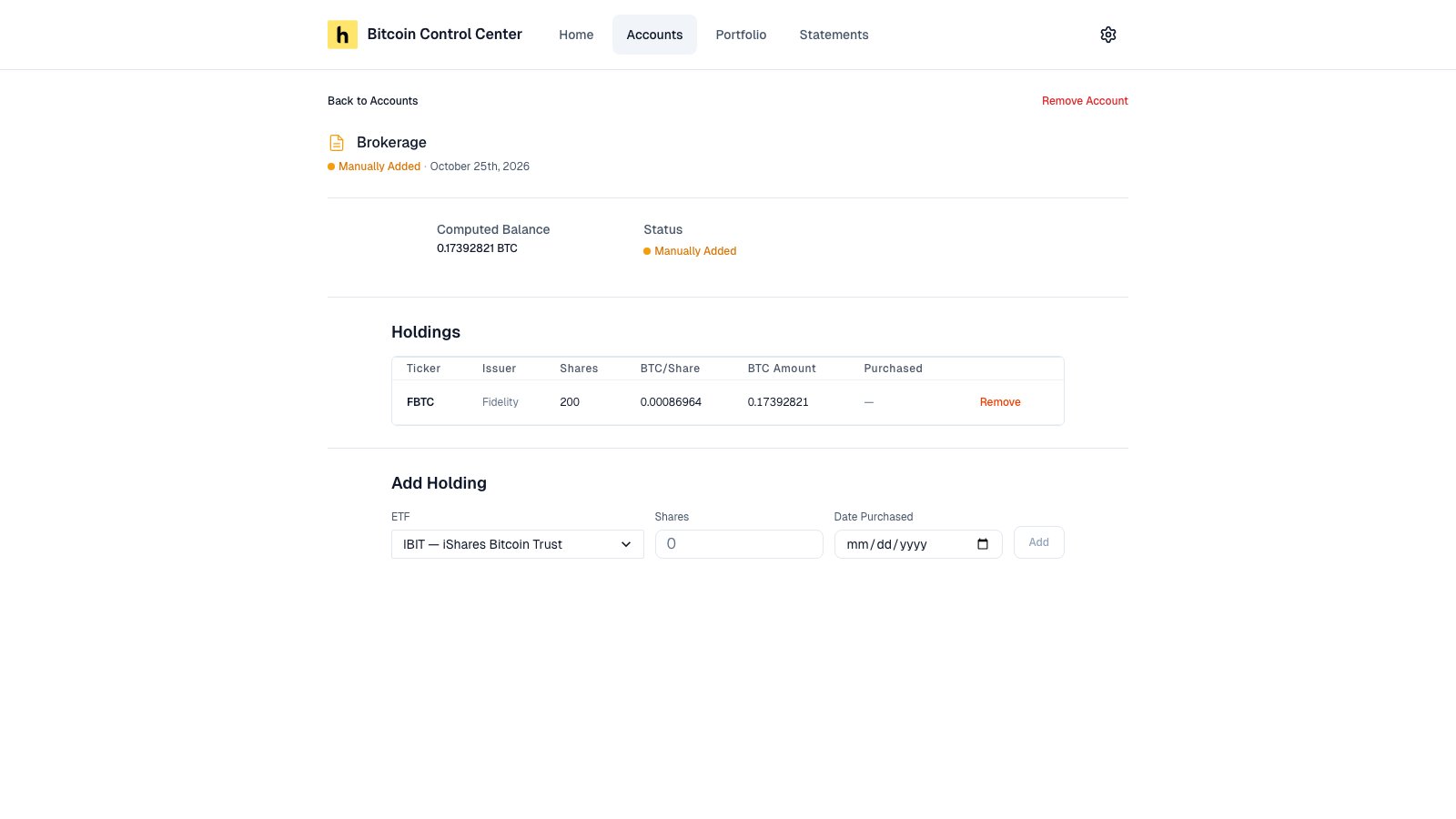
An ETF account and its holdings.