

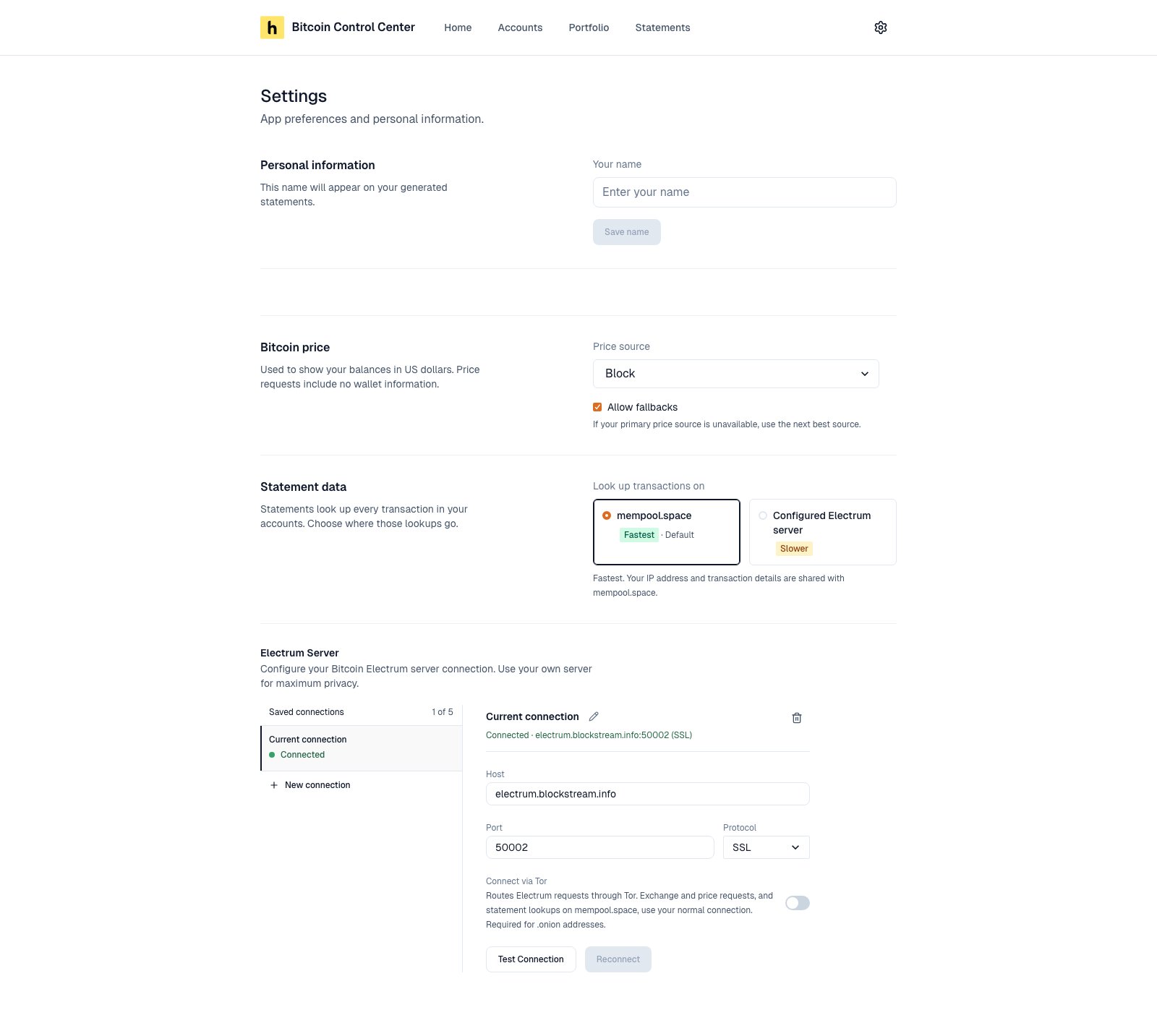
Settings on desktop.
Personal information
Your name fills in the name on new statements. Select Save name.Security
Change PIN and, on servers, Sign out everywhere. See PIN and lock.Bitcoin price
Sets where the Bitcoin price comes from. Price requests include no wallet information.
Allow fallbacks (on by default) uses the next source in the list if yours is down. With it off, you may see “No price is available right now.”
If no source answers, Control Center shows the last known price.
Statement data (desktop)
Choose where statement transaction lookups go.
Existing statements keep the source they were made with.
Electrum Server (desktop)
Where wallet balances come from. Use your own server for the most privacy.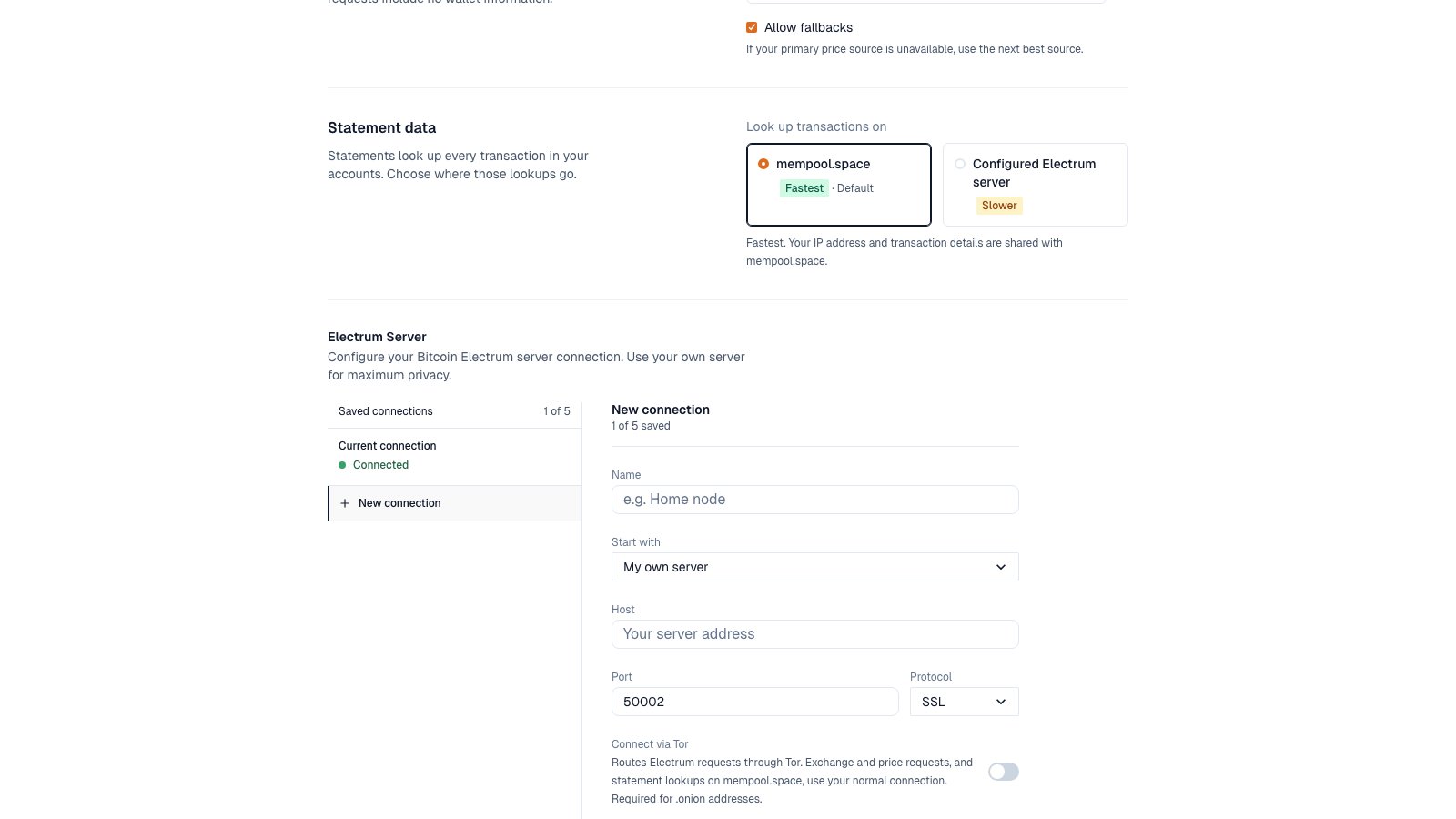
Saved connections on the left. Details on the right.
- Saved connections: up to 5. One is active. Its status shows Connected, Connecting…, or Disconnected.
- New connection: enter Name, Host, Port, and Protocol. Start with can fill in Blockstream’s public server.
- Test Connection checks it without switching. Save & Connect switches to it.
- Connect via Tor sends Electrum requests through Tor. It’s required for
.onionaddresses. Exchange and price requests, and statement lookups on mempool.space, do not use Tor. - Delete a connection with the trash icon. You can’t delete the active one. Connect to another first.
Tor messages
What’s not in Settings
- Currency: Home and Portfolio show USD. Pick CAD, GBP, or EUR per statement.
- Dark mode: not available yet.
- Backup and restore: done outside the app. See Backup and restore.
- App version: not shown in the app yet. See Find your app version.